Route snapshots
Alternative route labels, deltas versus fastest, corridor characterization, terrain, elevation, weather, Apple route context, speed-limit segments, charging-stop rationale, and final-approach hints.
Trip intelligence
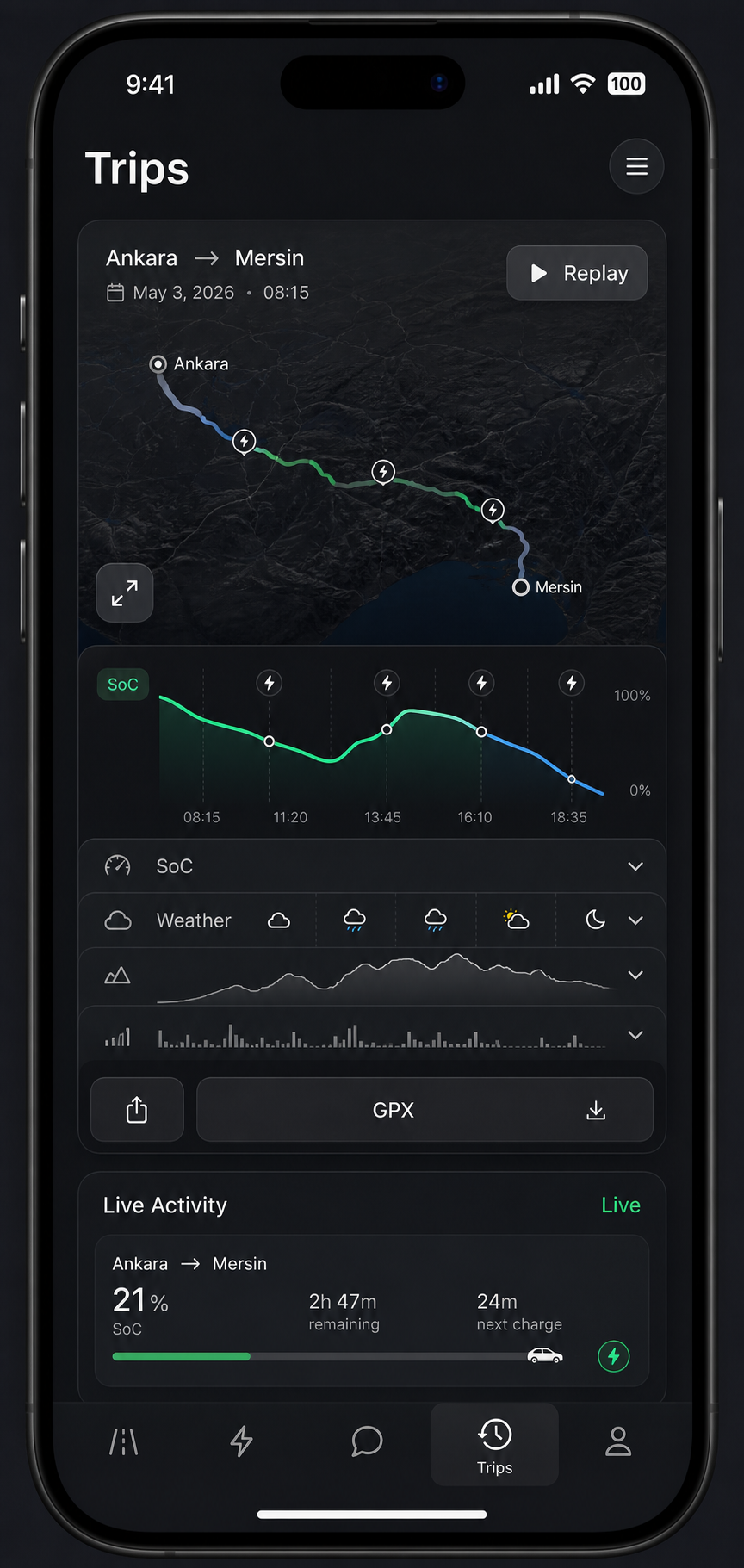
Orontes Drive treats a trip as a recoverable artifact, not a disposable navigation session. Route decisions, charging stops, telemetry, weather, radar context, and backend exchanges can be captured and replayed.
Trip capture
Route snapshots
Alternative route labels, deltas versus fastest, corridor characterization, terrain, elevation, weather, Apple route context, speed-limit segments, charging-stop rationale, and final-approach hints.
Charging timeline
Stop sequence, route-leg position, target, arrival and departure SoC, charge-added energy, distance and duration from previous stop, remaining distance, max power, stalls, price, feedback, and station rationale.
Telemetry frames
SoC, projected range, charge state, charge limit, charge rate, outside and cabin temperature, speed, odometer, tire pressure, freshness, and source quality.
Weather frames
Recorded weather can be restored with location and telemetry timelines so route behavior is easier to explain later.
Navigation state
Replay can restore recorded navigation state, location samples, route progress, and trip context from the completed drive.
Backend exchange context
Support-friendly captures can preserve backend exchange context so debugging is not guesswork after the trip is over.
Replay and export
Completed trips can be replayed directly in-app and exported as portable artifacts.
In-app replay
Restore recorded location, telemetry, weather, route, and navigation timelines.
GPX export
Export completed trip paths in a familiar route artifact format.
.testrip.json
Create debug captures for support, review, and deeper investigation.
Trip history
Completed summaries and richer EV trip memory stay available after navigation ends.
Live Activities
Live Activity surfaces can show route name, next instruction, upcoming instruction, lane hint, reroute state, battery percentage, ETA, delay delta, remaining distance, and overlay banners.
Notification categories
Notification preference categories include charging complete, radar approach, route deviation, and trip summary. Overlay types include radar, charging, assistant, degraded connectivity, and road safety.
Trip memory
Join early access if replay, export, and telemetry-backed trip memory are part of how you want to drive.