
Ask in your own words
Use voice or text to ask about your route, weather or charging stops. Ghost interprets your question with language models.
EV navigation with an AI voice assistant
Plan charging stops, connect your Tesla and share the journey with a copilot. Choose Dash Mode or classic navigation, explore road intelligence and talk to Ghost, with Asiye as our in-house Turkish voice model.
Simulator recording with sample driving data.
ScrollGHOST AI
An AI voice assistant built into Orontes Drive. Asiye, our Turkish AI voice model in development, gives Ghost its voice when selected in the app.
Use voice or text to ask about your route, weather or charging stops. Ghost interprets your question with language models.
Ghost can use your active route and available journey information to answer questions about the trip you are taking.
App tools retrieve the relevant information. Ghost turns their results into conversational answers, with spoken replies.
Available in the iOS beta. Features depend on permissions, connectivity and available data. AI answers can be incorrect; verify important information and interact only when safe.
Try Ghost in the betaDash Mode
Choose the dial design, the accent color and the readouts on screen. Every image below is a capture from the app itself.
Dial
Color
State

One climb, twelve dials Twelve dial designs running on the same driving data. Simulator recording.
Speed camera alerts
Passive Radar shows fixed cameras and average-speed zones on the road ahead. Within a zone, your average speed appears alongside the limit and the distance remaining.
Fixed cameras on your road appear on the map and as alerts.
Inside a zone, your average speed, the limit and the distance to the end of the zone appear together.
Camera data may not cover every road. Always follow posted signs and speed limits.
See all features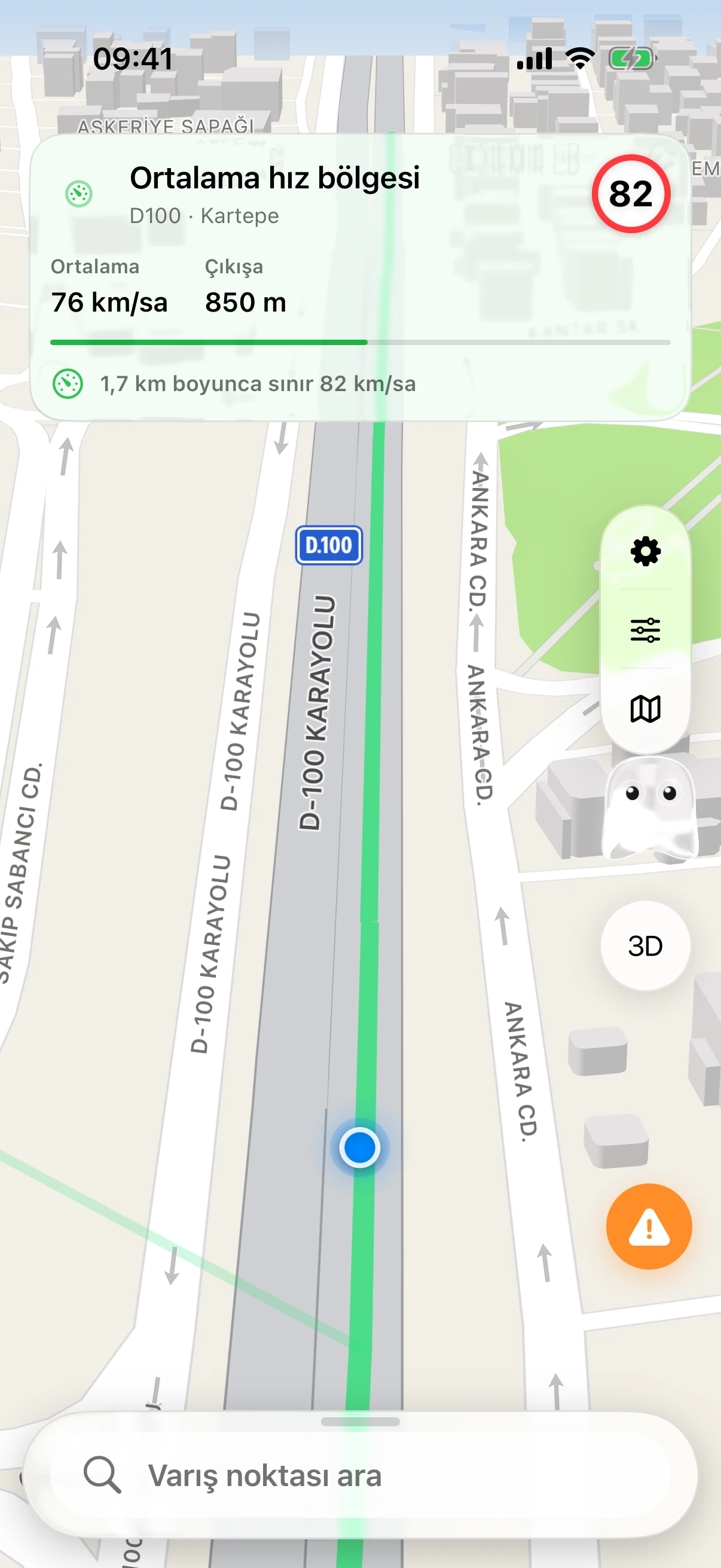
Simulator recording with sample driving data.
Charging stops
Orontes Drive uses your battery level to plan charging stops along your route. Check each station’s connectors and charging power, with an estimate of how much charge you’ll have at your destination.
691km
Antalya to Istanbul
8:03hr
total time including charging stops
23%
charge on arrival
250kW
maximum power at the stops
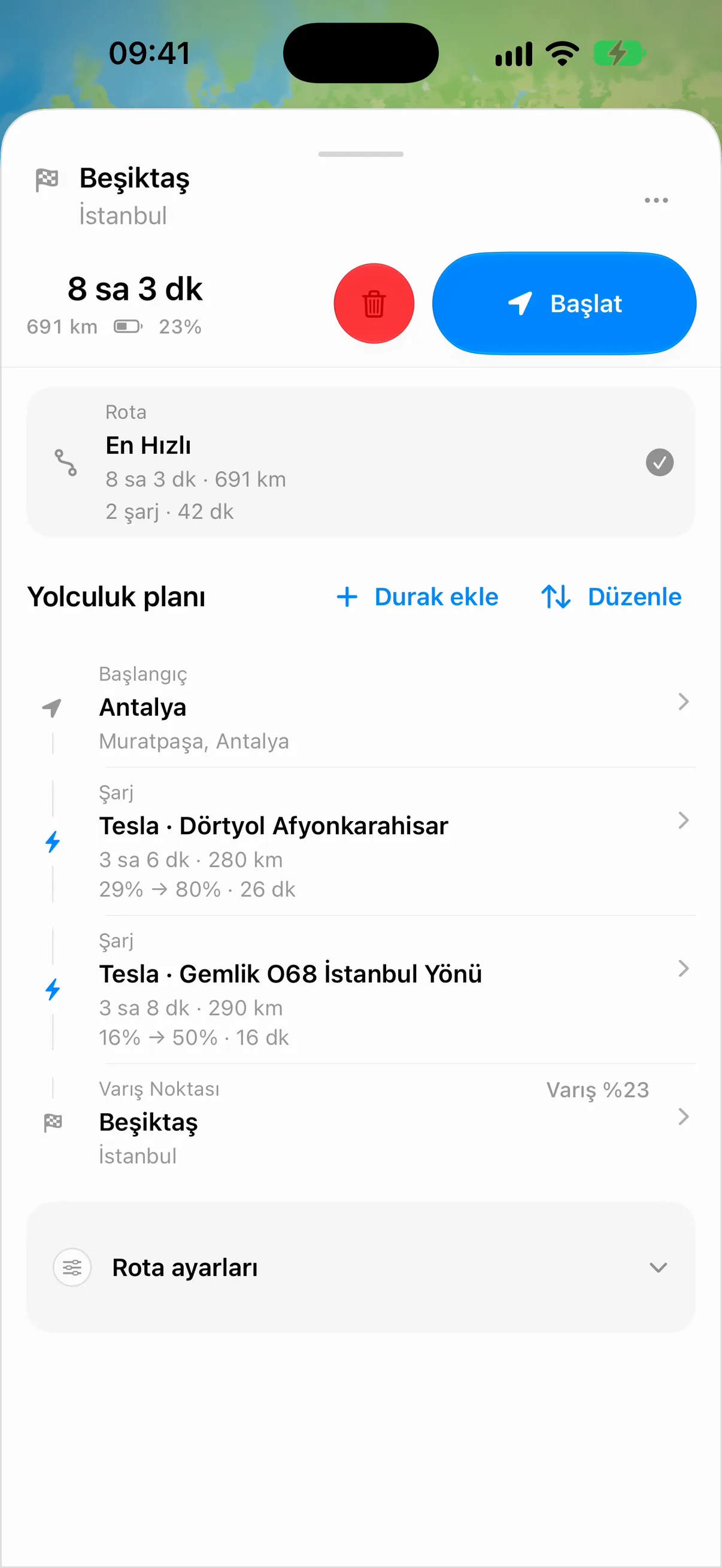
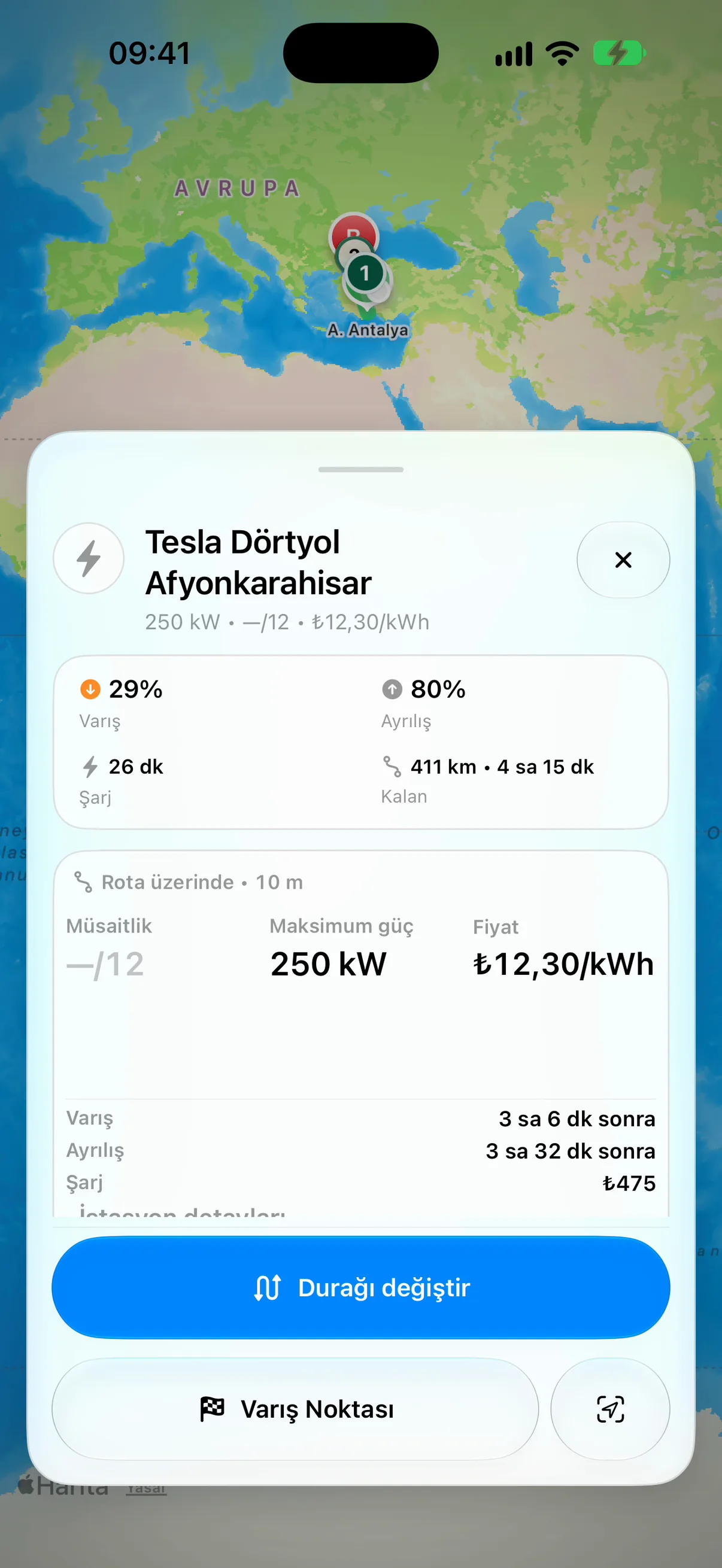
Sample plan: a Model Y class car with a 75 kWh battery, leaving at 90% charge. Travel time and charging estimates vary with weather, battery condition and driving.
See route featuresCarPlay and iPhone
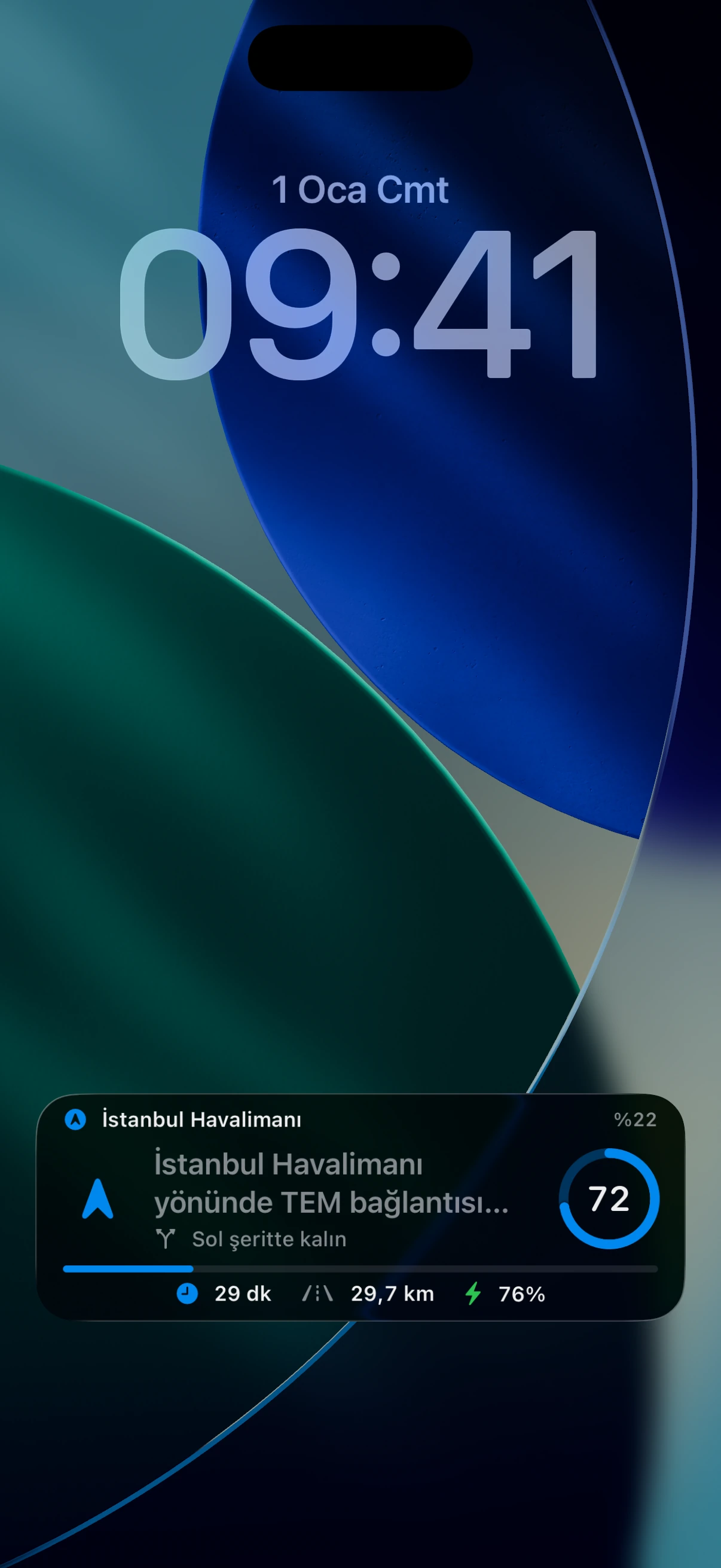
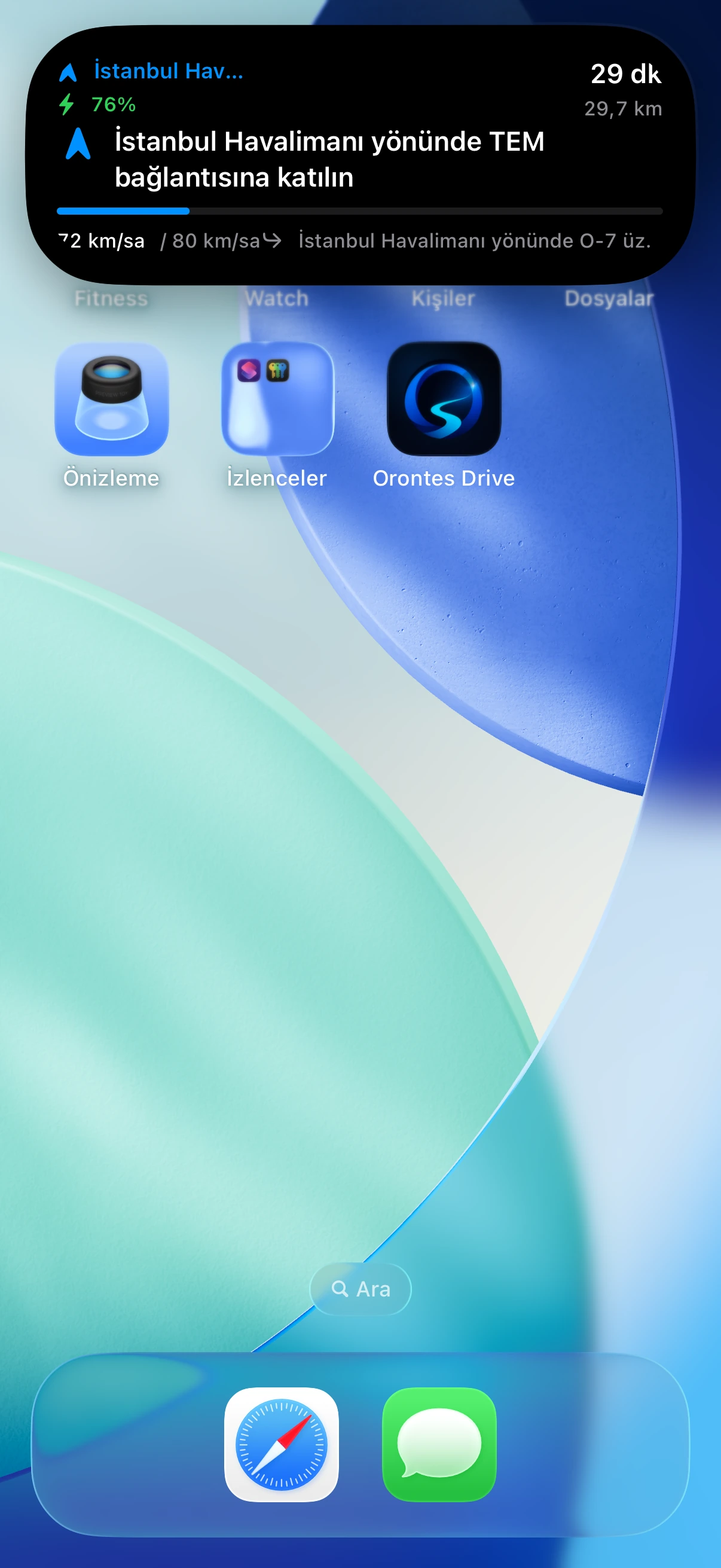
Follow your route on CarPlay, or glance at your iPhone’s Lock Screen or Dynamic Island for the next turn.
See your route, camera locations and planned charging stops on the car’s screen.
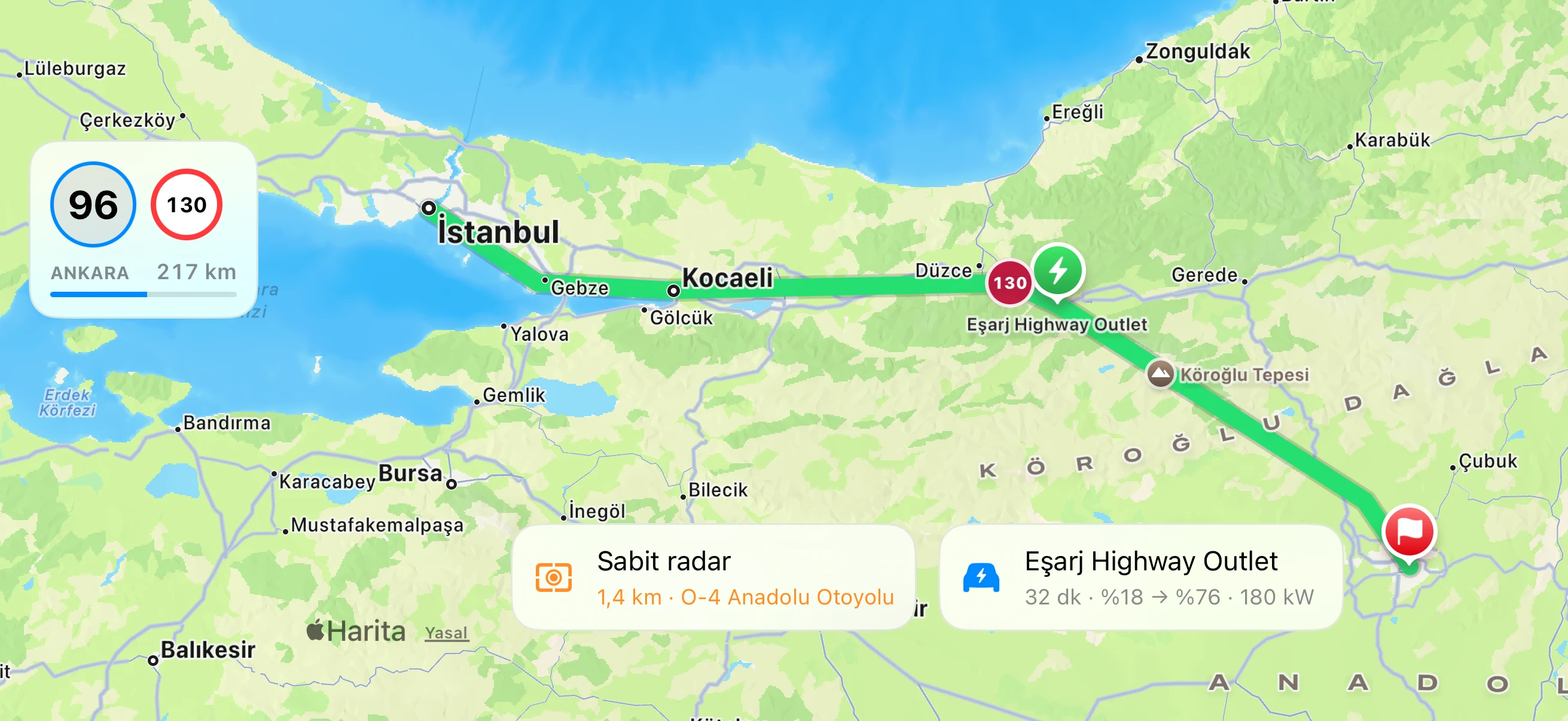
Check the next turn and time remaining with your phone locked.
Keep the next instruction visible when you switch to another app.
Features
Connect your vehicle, understand the road ahead, share your journey and talk to Ghost. Explore the features available in the iOS beta and the hardware we’re developing.
Choose Dash Mode for customizable gauges and vehicle information, or use the classic navigation view with the route map and turn guidance. Switch the display to suit your journey.
Track G-forces as you accelerate, brake and turn.
Connect your Tesla account to bring supported battery, range and charging information into Orontes Drive. Vehicle Link also supports compatible Bluetooth vehicle adapters, with manual battery entry available.
Share your journey with a friend or passenger. Your copilot follows the same route and driver progress on their phone, adds stops and helps manage the destination. SharePlay can bring the session into a FaceTime call.
Add friends, exchange pings, earn points and badges, and share your map presence when you choose. Report incidents and road hazards, and hear warnings about reports confirmed by other drivers.
During active navigation, phone motion sensors help detect rough surfaces and bumps automatically. With sharing enabled, road observations contribute to the map alongside community feedback. Detection quality is being refined during beta testing.
Our Bluetooth CAN bus device is being designed to bring live vehicle data into Orontes Drive. We’re targeting support for a broad range of vehicles; the confirmed compatibility list will be published after testing.
Ghost can speak with Asiye, our Turkish AI voice model. We’re developing its voice and training workflow in-house, with training from scratch planned, and checking pronunciation for road names, numbers and charging information.
Ask by voice or text. Ghost uses language models and app tools to answer questions about your route, weather and charging stops in the context of your journey.
iOS & Android
Betas are open on iPhone and Android.
Apply for a TestFlight invitation to try navigation, charging stops, Dash Mode and Ghost on your iPhone. CarPlay, Live Activities and Dynamic Island are iPhone features.
Apply for the iOS betaApply with the Google account you use in Play Store. Invited testers get a link and install and update from Google Play. Android Auto works with the Play install.
Apply for the Android betaAbout Orontes
An EV navigation startup led by Adem Taş and Tahsin Koç. Beta testing is underway, and we’re seeking funding to develop the product further.
About Orontes